
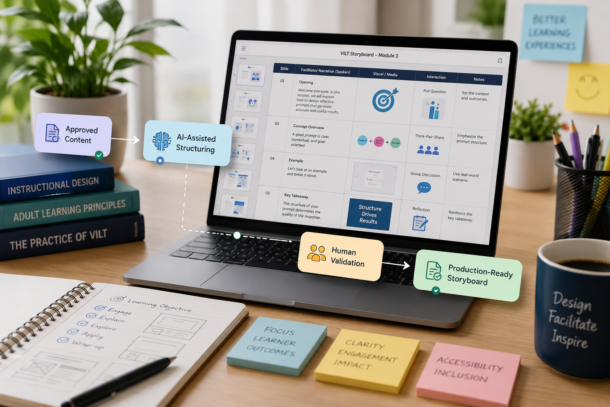
A governed AI workflow for faster, consistent, and instructionally sound VILT storyboard development
Project at a Glance
| Project | Details |
|---|---|
| Challenge | AI-generated storyboards could alter objectives, introduce unsupported content, and produce inconsistent facilitation guidance. |
| Solution | A controlled prompting framework that transforms approved content into structured VILT storyboards while keeping human review central. |
| Role | Workflow analysis, prompt architecture, instructional governance, accessibility, and quality assurance. |
| Outcome | Faster first drafts, greater consistency, clearer production handoffs, and stronger alignment between narration, visuals, and interactions. |
How the Framework Works
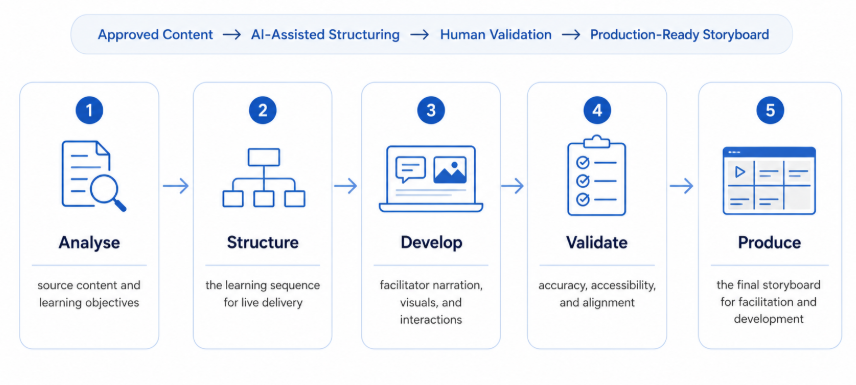
Approved Content → AI-Assisted Structuring → Human Validation → Production-Ready Storyboard
- Analyse source content and learning objectives
- Structure the learning sequence for live delivery
- Develop facilitator narration, visuals, and interactions
- Validate accuracy, accessibility, and alignment
- Produce the final storyboard for facilitation and development
What the Framework Includes
| Instructional Controls | Storyboard Outputs |
|---|---|
| Source-authority rules | Spoken-first facilitator narration |
| Learning-objective protection | Visual and interaction guidance |
| Human-review checkpoints | Timing and transition notes |
| SME validation flags | Accessibility and production guidance |
My Contribution
- Designed the AI prompting architecture
- Defined what AI could transform and what required human judgement
- Established source-content and objective controls
- Structured the storyboard output and validation stages
- Integrated accessibility, facilitation, visual, and production requirements
Value Created
Faster Development
Reduced the effort required to create a structured first draft.
Greater Consistency
Created a repeatable storyboard format across designers and modules.
Protected Quality
Kept instructional accuracy, accessibility, and approval responsibilities visible.
Key Takeaway
AI supported the development process, but instructional accountability remained with the learning professional.
Project Details
Category: AI-Assisted Learning Design
Project Type: Workflow and Governance Framework
Methods: Prompt Architecture, VILT Design, Workflow Analysis, Accessibility, Quality Assurance
Tools: Generative AI, Microsoft PowerPoint, Microsoft Word
This layout keeps the page to roughly four compact sections: hero, overview, workflow, and results. The longer explanations can be placed inside optional expandable sections rather than displayed continuously.